
Setting Up Your Banner Ad Campaigns
Enhanced Lead Capture (ELC)
March 29, 2012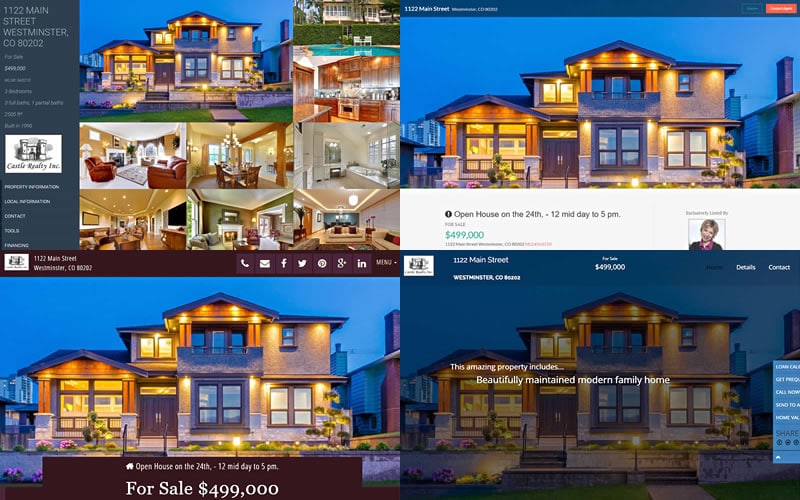
Setting Up Your Branding and Business Information
March 29, 2012 Our Banner Ad campaign system allows you to market yourself directly to the buyer market at the same time as you build relationships with Realtors.
You can put your own custom banner graphics on one or all of the property websites in your account. You can set them to automatically populate across all of your sites, or you can set up individual permissions to allow others to change them (see Banner Defaults below). There are a ton of controls at your disposal for managing your banner ad campaigns.
These are a great way to advertise your financial services to potential buyers, directly on your Agent’s property sites.
Simply choose from our wide variety of pre-made banner images, or upload your own custom banner image.

Video will open in a new window
To create a new Banner Ad campaign, simply follow these steps:
- Click on the “Banner Campaigns” link in the Marketing Tools column on your user dashboard.
- Select “Add New Banner Campaign”
- Choose where you want your Banner Ads to appear and select your banner images.
Follow the detailed instructions located on the right hand side of the Banner Campaign setup screen, or follow along in the video.
Banner Defaults
The Master User / Account Owner can control how banner ads are across all properties in the Account.
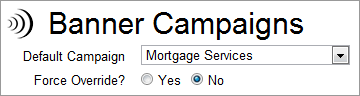 Go to Banner Campaigns and see the options at the top of the page.
Default Campaign: This allows you to establish a default campaigns on all property sites in your Account. This can be set to “none’.
Force Override: This allows the Master User / Account Owner to allow other Loan Officers to setup their own campaigns and will also allow them to therefore change the Default Campaign. If “Force Override=NO” then when a Loan Officer looks at the initial Campaign Settings for a property, he will see “campaign = NONE”. This means that the Loan officer has not yet chosen a campaign and until they do, the account DEFAULT will apply.